
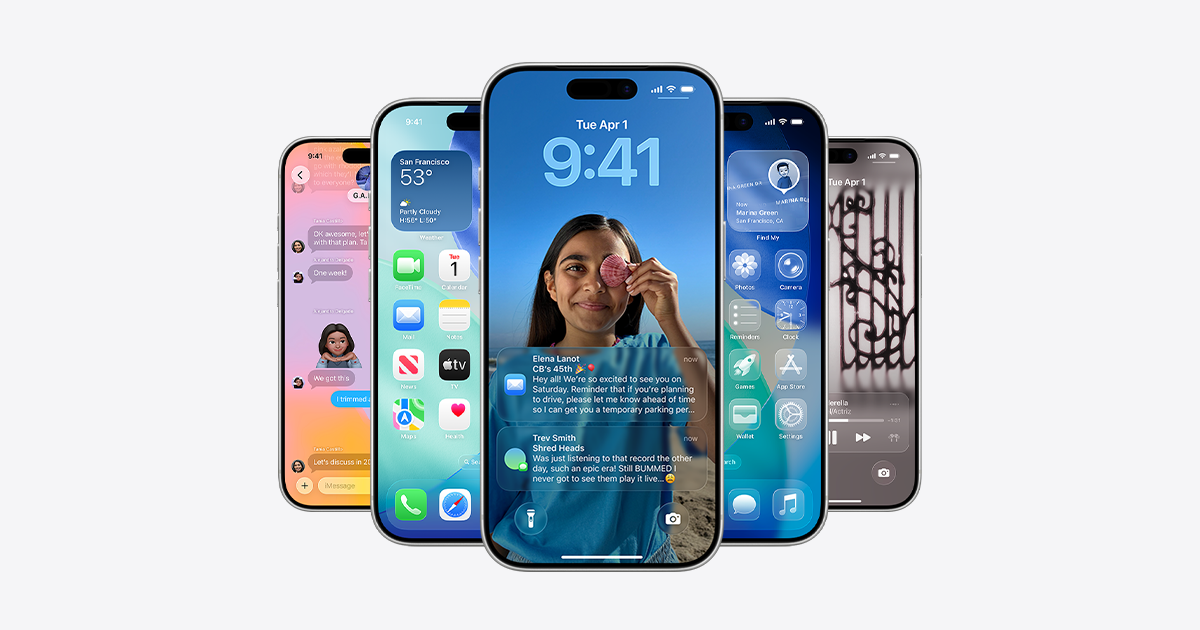
After a summer of beta updates, data-i13n=”cpos:1;pos:1″ href=”https://www.engadget.com/mobile/smartphones/ios-26-beta-preview-liquid-glass-is-better-than-you-think-172155402.html” data-ylk=”slk:iOS 26;cpos:1;pos:1;elm:context_link;itc:0;sec:content-canvas” class=”link “>iOS 26 is here. As long as you have a data-i13n=”cpos:2;pos:1″ href=”https://www.engadget.com/mobile/ios-26-arrives-on-monday-find-out-if-your-iphone-is-eligible-for-the-free-update-191854034.html” data-ylk=”slk:compatible iPhone;cpos:2;pos:1;elm:context_link;itc:0;sec:content-canvas” class=”link “>compatible iPhone, you can install the new software right now. Head to Settings > General > Software Update, and get ready for a Liquid Glass makeover.
iOS 26 offers data-i13n=”cpos:3;pos:1″ href=”https://www.engadget.com/mobile/smartphones/apples-new-liquid-glass-design-is-its-biggest-visual-update-in-years-172158766.html” data-ylk=”slk:Apple’s biggest visual change to its software;cpos:3;pos:1;elm:context_link;itc:0;sec:content-canvas” class=”link “>Apple’s biggest visual change to its software since iOS 7. (That was when Jony Ive’s flat design replaced Scott Forstall’s skeuomorphic one.) This time around, the software adopts a translucent material theme: Liquid Glass. Although it isn’t a return to skeuomorphism, it…


