
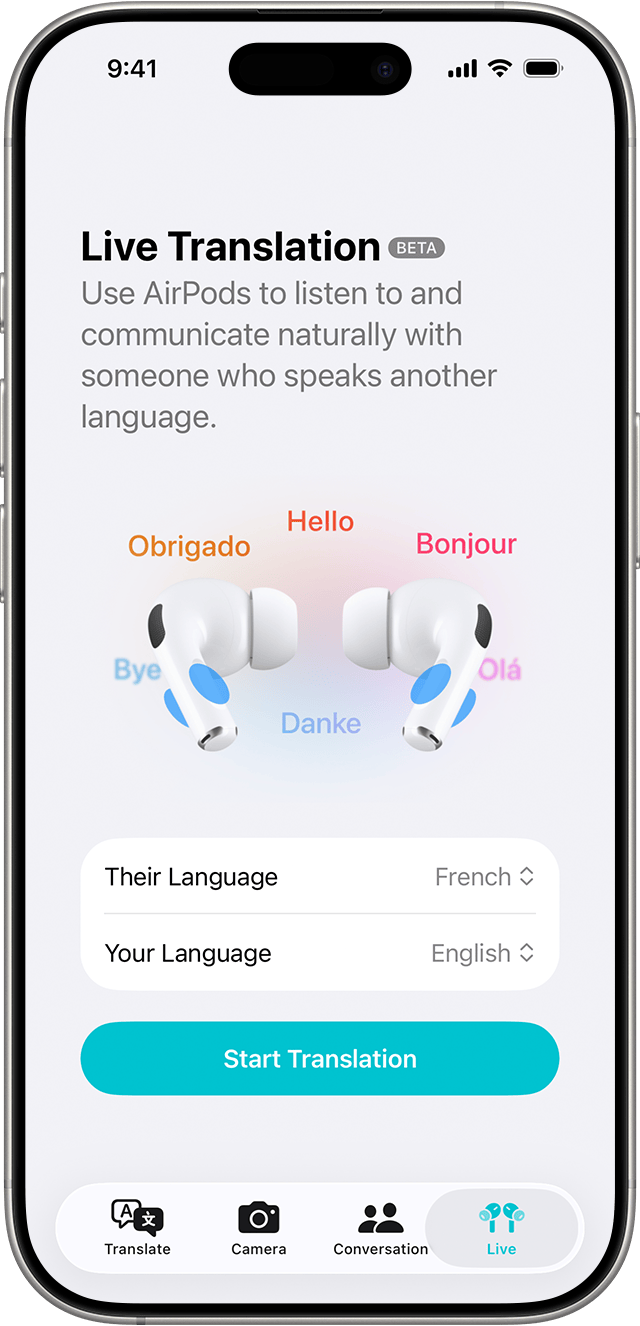
Apple’s Live Translation feature allows AirPods users to translate conversations in real time using an iPhone. The tool works through the Translate app and supports multiple languages for hands-free communication.
Live Translation on AirPods Explained
Apple offers a Live Translation capability that works with AirPods, enabling real-time conversation translation through an iPhone. The feature relies on Apple’s built-in Translate app and is designed for travel, meetings, and multilingual conversations.
Live Translation does not run directly on AirPods. Instead, AirPods act as the audio output while the iPhone processes translation.
Requirements to Use Live Translation With AirPods
Before enabling Live Translation, users must ensure the following:
- An iPhone running a supported iOS version
- Apple AirPods connected via Bluetooth
- The Translate app installed on the iPhone
- An active internet connection for most languages
Not all languages are supported offline.
How to Enable Live Translation on AirPods

Follow these steps to use Live Translation:
- Open the Translate app on the iPhone
- Select the source and target languages
- Choose Conversation mode
- Connect AirPods to the iPhone
- Start speaking and listen to translated audio through AirPods
The iPhone microphone captures speech, while translated audio plays through the AirPods.
Supported Languages and Accuracy
Apple supports multiple major languages, including English, Spanish, French, German, Chinese, and Japanese. Translation accuracy may vary depending on pronunciation, background noise, and speech speed.
For best results, users are advised to speak clearly and pause between sentences.
When Live Translation Is Most Useful
The feature is particularly helpful in:
- International travel
- Business meetings with multilingual participants
- Academic or cultural exchanges
- Casual conversations in foreign languages
Live Translation is designed for everyday use rather than professional interpreting.
Key Highlights
- AirPods support Live Translation via the iPhone Translate app
- Works in real time using Conversation mode
- Requires an internet connection for most languages
- No additional apps or subscriptions needed
Conclusion
Apple’s Live Translation feature adds practical value to AirPods by enabling real-time multilingual communication. While it depends on the iPhone for processing, the hands-free experience makes it a useful tool for travelers and global users.


