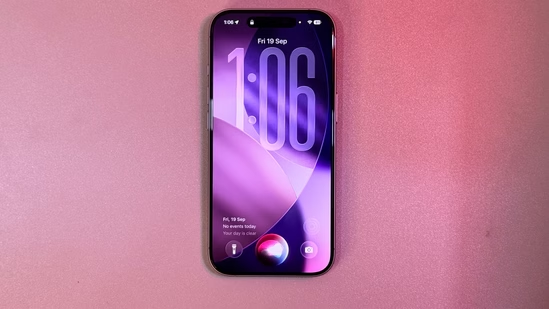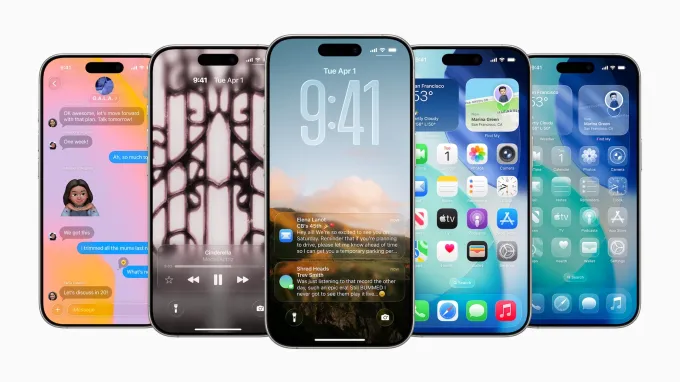
Apple’s latest update, iOS 26.2, delivers much-needed fixes and enhancements to its Liquid Glass UI, addressing earlier issues of poor readability and transparency. The update introduces new readability options and design tweaks that significantly improve the visual experience of the operating system. This comes after a series of beta releases aimed at refining Liquid Glass, which debuted with iOS 26 as a highly anticipated redesign.
Liquid Glass, which was designed to make the iPhone interface more expressive by reflecting and refracting light, initially struggled with readability. iOS 26.2 resolves this with better integration of the Glass and Solid clock options for the Lock Screen. Users can now customize the clock’s appearance by long-pressing the wallpaper and tapping the new customization options for improved contrast and legibility.
Enhancements to Liquid Glass UI
One key feature is the ability to adjust the transparency of Liquid Glass. Users can head to Settings > Accessibility > Display & Text Size and activate the Reduce Transparency toggle to blur the background for improved text legibility. Another significant addition is the new Tinted mode, available under Settings > Display & Brightness > Liquid Glass, which offers a more opaque option that enhances contrast, making icons and text easier to read against various wallpapers.
While the initial Liquid Glass design was lauded for its aesthetic potential, many users found it difficult to read, particularly on dark or complex wallpapers. Apple’s quick iteration with iOS 26.1 and 26.2 shows a commitment to user-centered design, addressing these concerns without sacrificing the visual flair of the interface.
What This Means for iPhone Users
These adjustments are a part of Apple’s broader strategy to continuously refine the iOS experience. As mobile UI design evolves, Apple’s focus on customization and accessibility ensures that users can personalize their devices for better usability while maintaining a visually striking design. For those who struggled with Liquid Glass in the past, this update brings a much-improved version, blending style and functionality seamlessly.
If you’ve found iOS 26 hard to use or want to explore new customization features, updating to iOS 26.2 and experimenting with these settings will make for a more enjoyable and accessible iPhone experience.