How to Edit Travel Videos with CapCut Nano Banana Pro

Share via:

Travel videos are one of the most exciting forms of content you can share online. Whether you just came back from a weekend road trip, explored a new country, or spent the day at a hidden local spot, your clips deserve more than simple edits—they deserve visuals that bring your journey to life. That’s exactly what CapCut Nano Banana Pro helps you achieve.

Nano Banana Pro is part of CapCut’s advanced AI design tools available on the web. Unlike typical editing software that only trims clips and applies filters, Nano Banana Pro uses powerful AI to redesign, enhance, and stylize visuals in ways that make your travel content stand out instantly. With just a few prompts, you can transform ordinary shots into eye-catching scenes perfect for Instagram Reels, YouTube Shorts, TikTok, or your travel vlog.

Why Use Nano Banana Pro for Travel Video Editing?

Before jumping into the steps, here’s why this AI tool is so useful for travel creators:

AI-Powered Enhancements

Nano Banana Pro understands your prompt and improves your visuals instantly. From color enhancement to landscape refinement, it can reshape your entire scene with precision.

Perfect for Storytelling

Travel videos rely on emotion—sunsets, food moments, street views, beaches, mountains. Nano Banana Pro can make these elements richer, sharper, and more stylish.

Easy for Beginners

No complicated timelines or multiple layers. Just a prompt and image input—and your design is ready.

Works for Multiple Platforms

Whether you’re posting on Instagram, TikTok, Facebook, or YouTube, the output works smoothly across all formats.

Try CapCut’s other AI tools, such as AI Video Maker, to make viral AI Travel Vlogs for your audience.

How to Edit Travel Videos with CapCut Nano Banana Pro 

Follow this easy process to turn your travel clips into polished, viral-ready content using CapCut Nano Banana Pro.

Step 1: Access CapCut AI Design Online

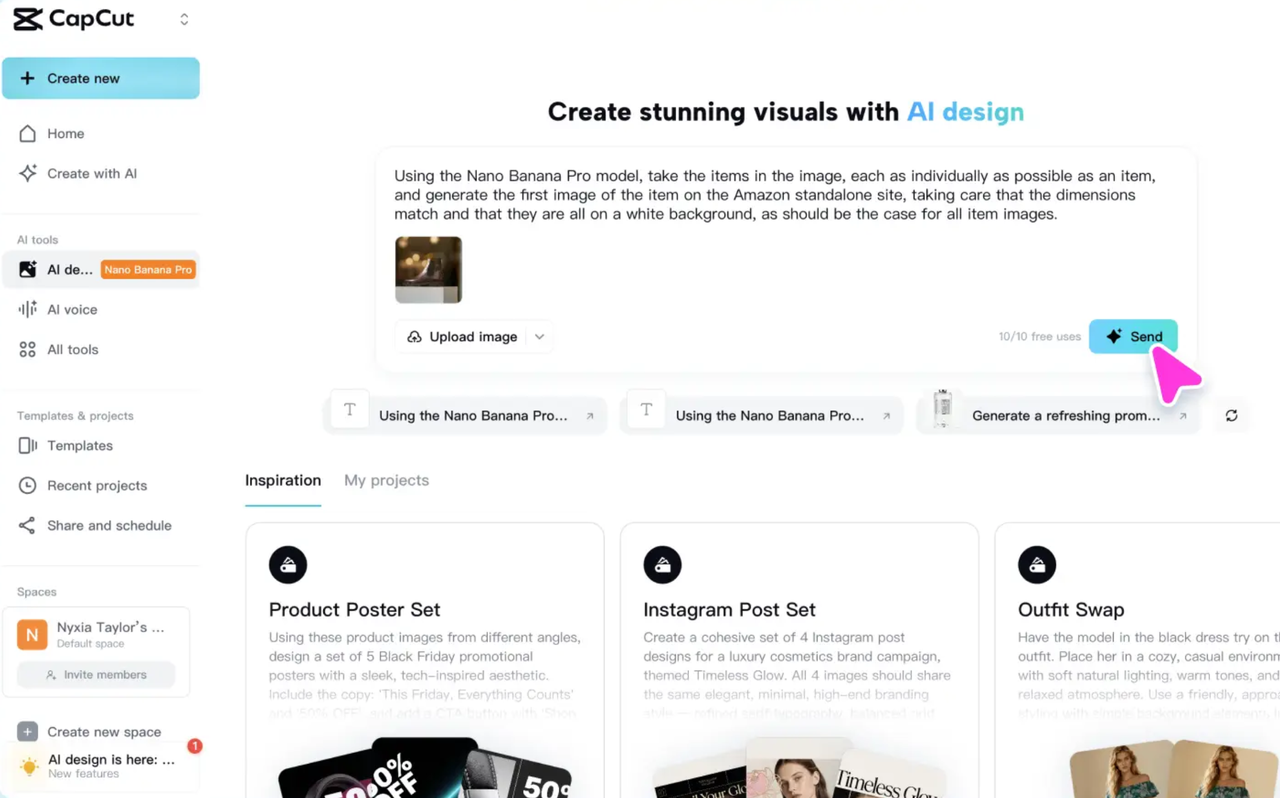
Click the button below to go to CapCut’s AI Design tool online. This is where Nano Banana Pro lives, and where you can begin your visual transformation. Inside the workspace, you’ll find the full suite of Nano Banana Pro’s features ready for use. This online space gives you direct access without downloading software, making it perfect for quick travel edits even while you’re on the go. Once you’re inside, choose the Nano Banana Pro model. This tool is designed to understand detailed prompts and enhance your travel visuals based on your creative direction.

Step 2: Enter Prompt and Add Reference Photo

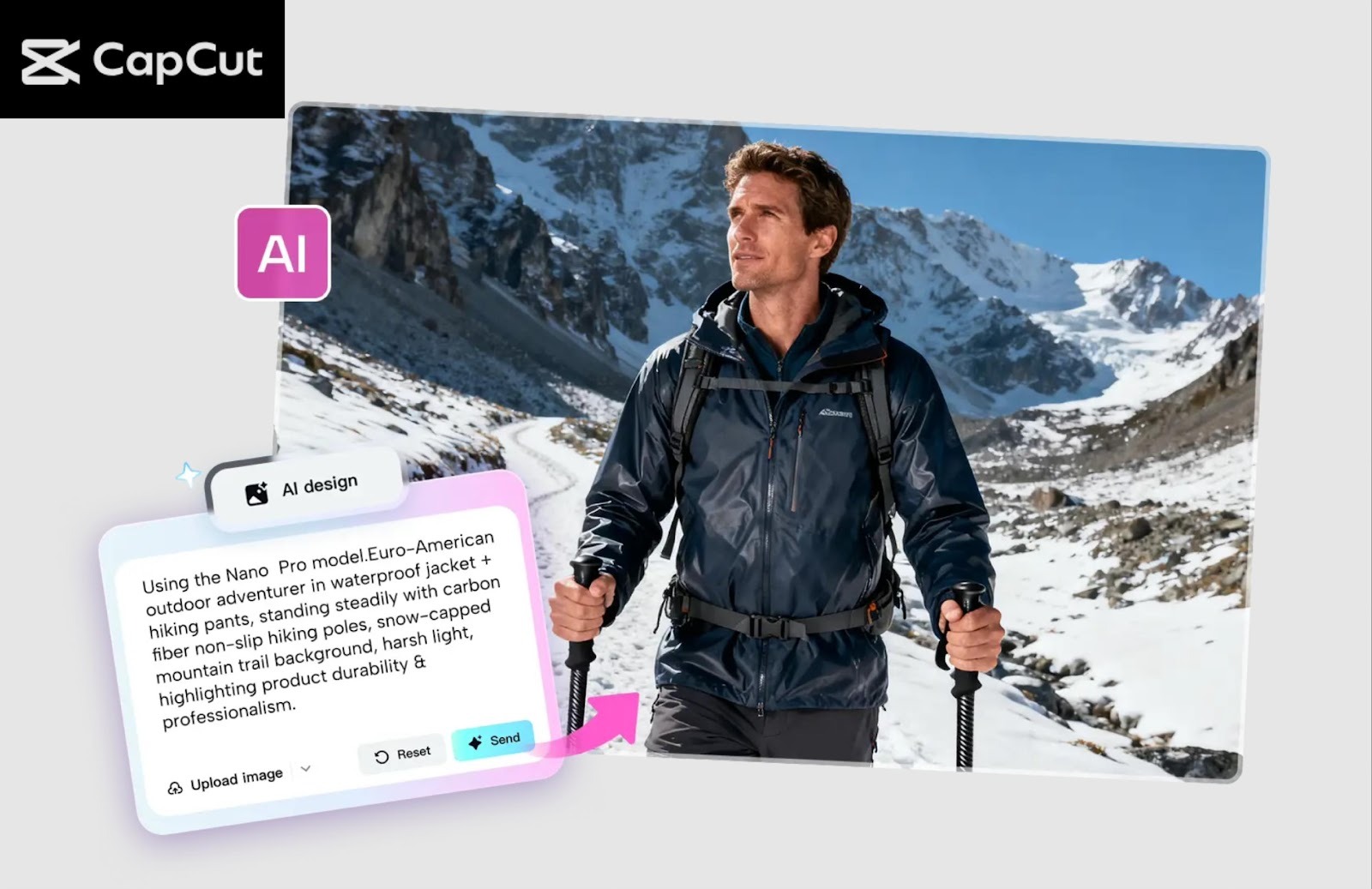
Now it’s time to bring your travel video idea to life. In the text box, type your creative prompt. This can describe the style, mood, color, or details you want the AI to apply to your travel footage. You can also upload a screenshot or reference image from your actual travel video—this helps the tool understand the environment, lighting, scenery, or subject.

Here are a few example prompts for travel creators:

  • “Using the Nano Banana Pro model, enhance the colors of this beach scene, making the water brighter, the sky clearer, and the sand warmer.”
  • “Make this mountain landscape more cinematic with deeper shadows and sunset tones.”
  • “Turn this city walk clip into a dreamy aesthetic with pastel colors and soft lighting.”
  • “Improve clarity and remove background distractions while keeping the original travel vibe.”

After typing your prompt and uploading your reference, click “Send” to process your request. The AI will now generate an enhanced scene from your travel clip. You can repeat this step for multiple shots—sunsets, markets, beaches, hiking views, street food moments, and more.
Step 3: Download and Share the Generated Image

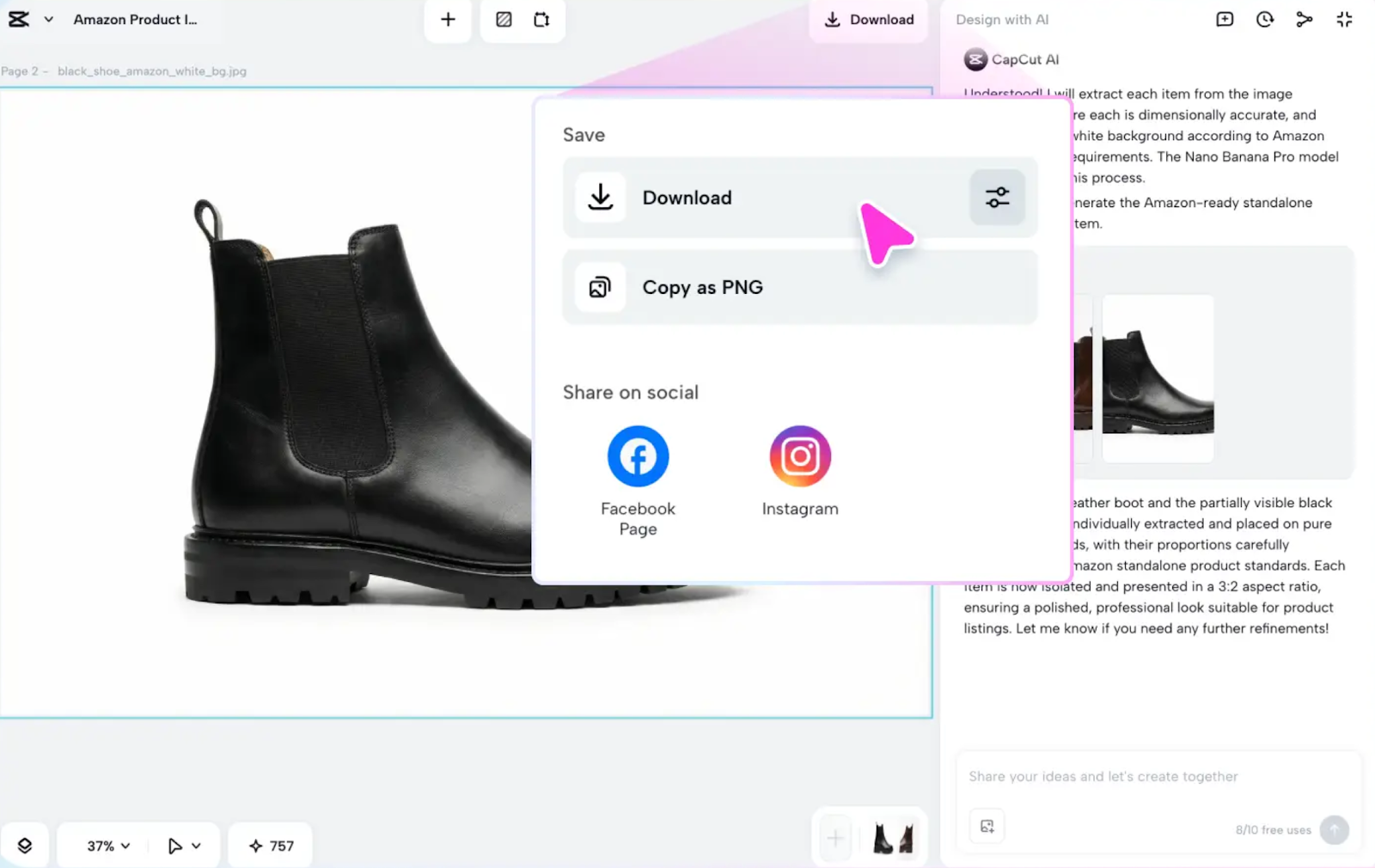
After Nano Banana Pro generates your visuals, you can fine-tune them using CapCut’s built-in editing tools. You can adjust brightness, fix colors, sharpen the visuals, or tweak the style to match the theme of your full travel video.Once satisfied, click “Download” to save your final AI-enhanced image or frame in high quality. These enhanced visuals can then be added back into your travel video timeline in CapCut Desktop, CapCut Mobile, or any editing tool you prefer. With just a few more touches—like transitions, music, text overlays, or speed adjustments—you can turn this enhanced scene into a jaw-dropping travel video moment ready to share. And that’s it! With just these three steps, you’ve created visually captivating travel content using Nano Banana Pro.
Conclusion

Editing travel videos no longer requires advanced skills or a high-end laptop. With CapCut Nano Banana Pro, you can transform your raw travel footage into visually stunning content using simple prompts and a few clicks. Whether you want cinematic landscapes, dreamy vacation aesthetics, or sharp travel thumbnails, Nano Banana Pro makes the process easy, fast, and highly creative. If you’re ready to take your travel videos to the next level, start experimenting today—you’ll be amazed at how quickly your content begins to stand out online.


Disclaimer

We strive to uphold the highest ethical standards in all of our reporting and coverage. We StartupNews.fyi want to be transparent with our readers about any potential conflicts of interest that may arise in our work. It’s possible that some of the investors we feature may have connections to other businesses, including competitors or companies we write about. However, we want to assure our readers that this will not have any impact on the integrity or impartiality of our reporting. We are committed to delivering accurate, unbiased news and information to our audience, and we will continue to uphold our ethics and principles in all of our work. Thank you for your trust and support.

Team SNFYI
Hi! This is Admin.

Popular

More Like this

How to Edit Travel Videos with CapCut Nano Banana Pro

Travel videos are one of the most exciting forms of content you can share online. Whether you just came back from a weekend road trip, explored a new country, or spent the day at a hidden local spot, your clips deserve more than simple edits—they deserve visuals that bring your journey to life. That’s exactly what CapCut Nano Banana Pro helps you achieve.

Nano Banana Pro is part of CapCut’s advanced AI design tools available on the web. Unlike typical editing software that only trims clips and applies filters, Nano Banana Pro uses powerful AI to redesign, enhance, and stylize visuals in ways that make your travel content stand out instantly. With just a few prompts, you can transform ordinary shots into eye-catching scenes perfect for Instagram Reels, YouTube Shorts, TikTok, or your travel vlog.

Why Use Nano Banana Pro for Travel Video Editing?

Before jumping into the steps, here’s why this AI tool is so useful for travel creators:

AI-Powered Enhancements

Nano Banana Pro understands your prompt and improves your visuals instantly. From color enhancement to landscape refinement, it can reshape your entire scene with precision.

Perfect for Storytelling

Travel videos rely on emotion—sunsets, food moments, street views, beaches, mountains. Nano Banana Pro can make these elements richer, sharper, and more stylish.

Easy for Beginners

No complicated timelines or multiple layers. Just a prompt and image input—and your design is ready.

Works for Multiple Platforms

Whether you’re posting on Instagram, TikTok, Facebook, or YouTube, the output works smoothly across all formats.

Try CapCut’s other AI tools, such as AI Video Maker, to make viral AI Travel Vlogs for your audience.

How to Edit Travel Videos with CapCut Nano Banana Pro 

Follow this easy process to turn your travel clips into polished, viral-ready content using CapCut Nano Banana Pro.

Step 1: Access CapCut AI Design Online

Click the button below to go to CapCut’s AI Design tool online. This is where Nano Banana Pro lives, and where you can begin your visual transformation. Inside the workspace, you’ll find the full suite of Nano Banana Pro’s features ready for use. This online space gives you direct access without downloading software, making it perfect for quick travel edits even while you’re on the go. Once you’re inside, choose the Nano Banana Pro model. This tool is designed to understand detailed prompts and enhance your travel visuals based on your creative direction.

Step 2: Enter Prompt and Add Reference Photo

Now it’s time to bring your travel video idea to life. In the text box, type your creative prompt. This can describe the style, mood, color, or details you want the AI to apply to your travel footage. You can also upload a screenshot or reference image from your actual travel video—this helps the tool understand the environment, lighting, scenery, or subject.

Here are a few example prompts for travel creators:

  • “Using the Nano Banana Pro model, enhance the colors of this beach scene, making the water brighter, the sky clearer, and the sand warmer.”
  • “Make this mountain landscape more cinematic with deeper shadows and sunset tones.”
  • “Turn this city walk clip into a dreamy aesthetic with pastel colors and soft lighting.”
  • “Improve clarity and remove background distractions while keeping the original travel vibe.”

After typing your prompt and uploading your reference, click “Send” to process your request. The AI will now generate an enhanced scene from your travel clip. You can repeat this step for multiple shots—sunsets, markets, beaches, hiking views, street food moments, and more.

Step 3: Download and Share the Generated Image

After Nano Banana Pro generates your visuals, you can fine-tune them using CapCut’s built-in editing tools. You can adjust brightness, fix colors, sharpen the visuals, or tweak the style to match the theme of your full travel video.Once satisfied, click “Download” to save your final AI-enhanced image or frame in high quality. These enhanced visuals can then be added back into your travel video timeline in CapCut Desktop, CapCut Mobile, or any editing tool you prefer. With just a few more touches—like transitions, music, text overlays, or speed adjustments—you can turn this enhanced scene into a jaw-dropping travel video moment ready to share. And that’s it! With just these three steps, you’ve created visually captivating travel content using Nano Banana Pro.

Conclusion

Editing travel videos no longer requires advanced skills or a high-end laptop. With CapCut Nano Banana Pro, you can transform your raw travel footage into visually stunning content using simple prompts and a few clicks. Whether you want cinematic landscapes, dreamy vacation aesthetics, or sharp travel thumbnails, Nano Banana Pro makes the process easy, fast, and highly creative. If you’re ready to take your travel videos to the next level, start experimenting today—you’ll be amazed at how quickly your content begins to stand out online.

Disclaimer

We strive to uphold the highest ethical standards in all of our reporting and coverage. We StartupNews.fyi want to be transparent with our readers about any potential conflicts of interest that may arise in our work. It’s possible that some of the investors we feature may have connections to other businesses, including competitors or companies we write about. However, we want to assure our readers that this will not have any impact on the integrity or impartiality of our reporting. We are committed to delivering accurate, unbiased news and information to our audience, and we will continue to uphold our ethics and principles in all of our work. Thank you for your trust and support.

Website Upgradation is going on for any glitch kindly connect at office@startupnews.fyi

Team SNFYI
Hi! This is Admin.

More like this

What are AirDrop codes? iOS 26.2 introduces a new...

Apple has officially released iOS 26.2, introducing several...

Today’s NYT Connections: Sports Edition Hints, Answers for Dec....

Looking for the most recent regular Connections answers? Click here...

Google Disco is an experimental web browser that builds...

The latest experiment emerging out of Google Labs is...

Popular