Decoupling Assets: When to Switch From Static Bundles to the Icons8 API

Share via:

Export SVGs from Figma. Run the optimizer. Dump them into a repo folder. Bundle at build time.

That workflow is the gold standard for fixed interfaces. It is fast, free, and reliable.

But static bundles fail when you give control to the user. If you are building a presentation tool, a website builder, or a white-label dashboard, you cannot stuff 300,000 assets into a single JavaScript chunk. You need a mechanism to fetch assets dynamically based on user intent.

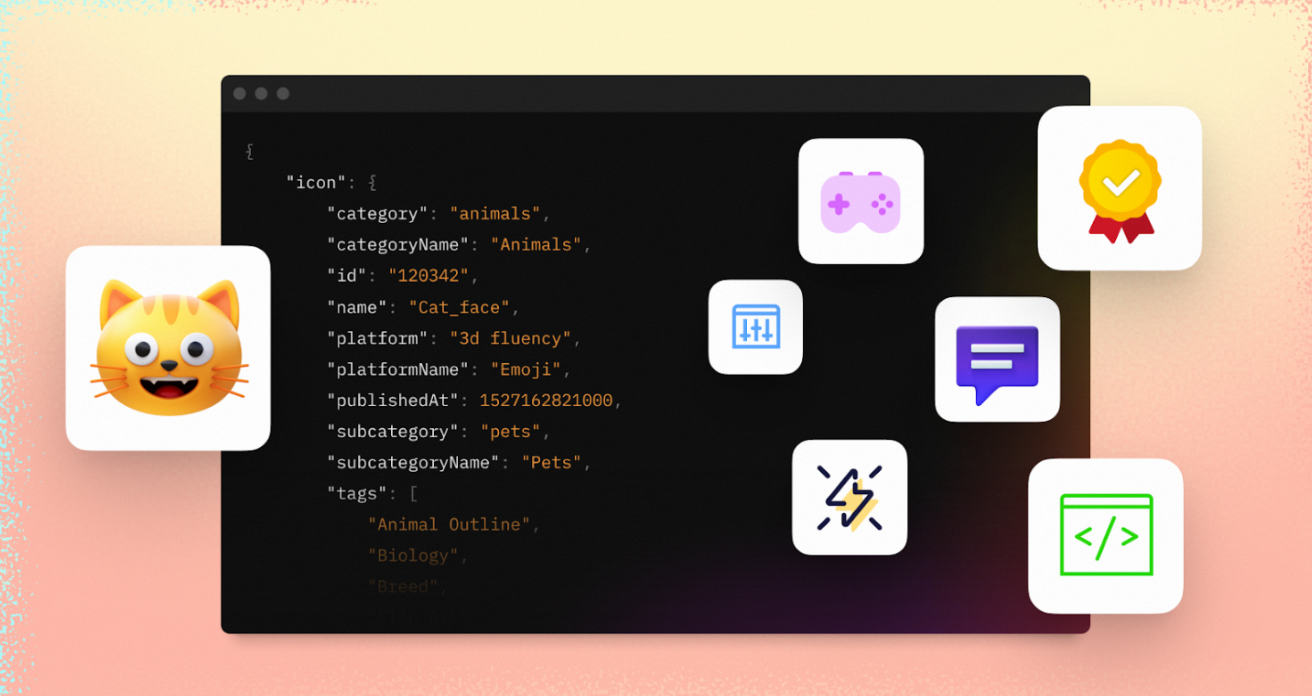
The Icons8 API targets this exact friction point. It isn’t just a repository; it is a programmatic pipeline for icons, illustrations, photos, and AI-driven image manipulation. It moves asset management from the build system to the runtime environment, serving requests directly to your application via REST architecture.

The Logic Behind Dynamic Asset Delivery

Scale and searchability drive the decision to integrate an asset API.

When a user types “settings” into a picker interface, they expect twenty variations of a gear icon. Building that infrastructure from scratch is an engineering nightmare. You would need to license a massive library, tag every asset with metadata for search relevance, set up an Elasticsearch cluster, and manage a CDN for delivery.

Icons8 abstracts that backend chaos. The platform handles the tagging and serving, processing over 400,000 requests daily. Companies like Canva and Shopify rely on this infrastructure because it treats visual content as data, not static files.

Scenario 1: The White-Label Website Builder

Take a SaaS platform that lets small businesses generate landing pages. Users need to customize their pages with icons representing their services, such as “plumbing,” “consulting,” or “coffee.”

The Problem

The engineering team cannot predict the user’s industry. Bundling a generic set of 50 icons looks cheap and limits creativity. Conversely, bundling a comprehensive library of 10,000 icons bloats the initial load time to unacceptable levels.

The API Solution

The team integrates the Search endpoint. When a user opens the icon picker, the application sends a request with the user’s query. The API returns a JSON response containing previews of matching icons. The user sees a grid of options instantly.

Once the user selects a specific “wrench” icon, the application makes a second call to the Download endpoint. This retrieves the high-fidelity SVG or PNG. The application saves this specific asset URL to the user’s configuration.

The result? A lightweight application with access to a massive library that only loads exactly what represents the user’s choice.

Scenario 2: Automated Design System Pipelines

Design drift is the silent killer in large enterprises. Designers update an icon in the master file, but developers deploy code using a version from six months ago.

The Problem

Manual export and commit cycles invite human error. Developers might export the wrong size or forget to optimize the SVG, leading to inconsistencies across the product suite.

The API Solution

A DevOps engineer writes a script that runs during the nightly build process. This script queries the Icons8 API for specific collections or IDs that match the company’s design system criteria. It pulls the latest versions of these assets directly into the build pipeline.

If design requirements change-switching from filled icons to outlined icons, for instance-the engineering team changes a parameter in the API request. No manual file replacement required. The production build always reflects the current design intent.

A Developer’s Workflow: Implementing the Search

Meet Jens, a frontend engineer at a project management startup. His task is to let users assign custom emojis or icons to their project boards. He creates a new component in his React application.

First, Jens generates an API key from the developer portal. He stores it in his environment variables. Knowing he cannot expose this key on the client side, he sets up a small proxy route on his Node.js backend.

The frontend component features a simple input field. As the user types “rocket,” Jens debounces the input to avoid hitting rate limits. The request goes to his proxy, which appends the authentication headers and forwards the query to the icon API search endpoint.

A JSON object returns listing ten different rocket icons. Jens maps over this array to render a grid of thumbnails. He notices the API provides different formats, so he configures the view to request small PNGs for the preview to keep the UI snappy.

When the user clicks the third rocket, Jens triggers the download call. This time, he requests the vector SVG version. He takes the returned content and stores it in his database associated with the project ID. He wraps the entire interaction in a try-catch block to handle potential network errors.

Beyond Standard Icons

Core utility revolves around standard UI assets, but the platform extends into AI-driven image processing. The Upscaler API and Background Remover API are particularly relevant for user-generated content platforms.

Running an e-commerce integration where users upload product photos? Use the Background Remover API to standardize the catalog automatically. Instead of asking non-technical users to edit their photos, the API cleans the image upon upload.

Similarly, the Upscaler API can salvage low-resolution images provided by users, ensuring the final display remains crisp.

Comparing Asset Strategies

Weigh the API approach against traditional methods before committing code.

Self-Hosted CDN

  • Pros: Total control, zero external dependencies, one-time cost for assets.
  • Cons: You build the search engine yourself. Managing metadata for thousands of files is tedious. No automatic updates.

Static Bundles (e.g., FontAwesome, Material)

  • Pros: Easiest implementation, immediate availability offline.
  • Cons: Rigid selection. If the bundle lacks the icon you need, you are stuck. Increases bundle size for every user, even if they never see the icons.

Icons8 API

  • Pros: Access to a massive, searchable database without storage overhead. Dynamic filtering. Consistency across different asset types (photos, illustrations).
  • Cons: Recurring cost based on usage. Adds a network dependency for rendering assets.

Limitations and When This Tool is Not the Best Choice

External APIs introduce latency.

If your application is a static brochure site or a simple admin panel with a fixed set of navigation items, using an API is over-engineering. In those cases, SVGs inline or in a sprite sheet offer superior performance.

Rate limits also matter. High-traffic public pages that hit the API on every load will quickly exhaust your quota. The API model assumes you are fetching assets dynamically or caching them, not hitting the endpoint for the same “menu hamburger” icon a million times a day.

Practical Implementation Tips

Maximize the API while keeping costs and latency down.

Aggressive Caching

Never let your client-side application hit the API directly for every view. Implement a caching layer on your server. If a user searches for “calendar,” cache that result set for 24 hours. If you download an icon, store that file on your own CDN and serve it from there for subsequent requests.

Proxy Your Requests

Authentication requires an API key, so route requests through your own backend. This protects your credentials and gives you a choke point to manage rate limiting before requests reach the provider.

Handle Fallbacks

Networks fail. Ensure your UI handles missing assets gracefully. Display a generic placeholder or a locally stored fallback icon if the API request times out.

Format Selection

Use search results to display lightweight previews (PNGs). Only fetch the heavy vector (SVG/PDF) or high-res photo when the user commits to a selection. This reduces bandwidth usage and keeps the interface responsive.


Disclaimer

We strive to uphold the highest ethical standards in all of our reporting and coverage. We StartupNews.fyi want to be transparent with our readers about any potential conflicts of interest that may arise in our work. It’s possible that some of the investors we feature may have connections to other businesses, including competitors or companies we write about. However, we want to assure our readers that this will not have any impact on the integrity or impartiality of our reporting. We are committed to delivering accurate, unbiased news and information to our audience, and we will continue to uphold our ethics and principles in all of our work. Thank you for your trust and support.

Popular

More Like this

Decoupling Assets: When to Switch From Static Bundles to the Icons8 API

Export SVGs from Figma. Run the optimizer. Dump them into a repo folder. Bundle at build time.

That workflow is the gold standard for fixed interfaces. It is fast, free, and reliable.

But static bundles fail when you give control to the user. If you are building a presentation tool, a website builder, or a white-label dashboard, you cannot stuff 300,000 assets into a single JavaScript chunk. You need a mechanism to fetch assets dynamically based on user intent.

The Icons8 API targets this exact friction point. It isn’t just a repository; it is a programmatic pipeline for icons, illustrations, photos, and AI-driven image manipulation. It moves asset management from the build system to the runtime environment, serving requests directly to your application via REST architecture.

The Logic Behind Dynamic Asset Delivery

Scale and searchability drive the decision to integrate an asset API.

When a user types “settings” into a picker interface, they expect twenty variations of a gear icon. Building that infrastructure from scratch is an engineering nightmare. You would need to license a massive library, tag every asset with metadata for search relevance, set up an Elasticsearch cluster, and manage a CDN for delivery.

Icons8 abstracts that backend chaos. The platform handles the tagging and serving, processing over 400,000 requests daily. Companies like Canva and Shopify rely on this infrastructure because it treats visual content as data, not static files.

Scenario 1: The White-Label Website Builder

Take a SaaS platform that lets small businesses generate landing pages. Users need to customize their pages with icons representing their services, such as “plumbing,” “consulting,” or “coffee.”

The Problem

The engineering team cannot predict the user’s industry. Bundling a generic set of 50 icons looks cheap and limits creativity. Conversely, bundling a comprehensive library of 10,000 icons bloats the initial load time to unacceptable levels.

The API Solution

The team integrates the Search endpoint. When a user opens the icon picker, the application sends a request with the user’s query. The API returns a JSON response containing previews of matching icons. The user sees a grid of options instantly.

Once the user selects a specific “wrench” icon, the application makes a second call to the Download endpoint. This retrieves the high-fidelity SVG or PNG. The application saves this specific asset URL to the user’s configuration.

The result? A lightweight application with access to a massive library that only loads exactly what represents the user’s choice.

Scenario 2: Automated Design System Pipelines

Design drift is the silent killer in large enterprises. Designers update an icon in the master file, but developers deploy code using a version from six months ago.

The Problem

Manual export and commit cycles invite human error. Developers might export the wrong size or forget to optimize the SVG, leading to inconsistencies across the product suite.

The API Solution

A DevOps engineer writes a script that runs during the nightly build process. This script queries the Icons8 API for specific collections or IDs that match the company’s design system criteria. It pulls the latest versions of these assets directly into the build pipeline.

If design requirements change-switching from filled icons to outlined icons, for instance-the engineering team changes a parameter in the API request. No manual file replacement required. The production build always reflects the current design intent.

A Developer’s Workflow: Implementing the Search

Meet Jens, a frontend engineer at a project management startup. His task is to let users assign custom emojis or icons to their project boards. He creates a new component in his React application.

First, Jens generates an API key from the developer portal. He stores it in his environment variables. Knowing he cannot expose this key on the client side, he sets up a small proxy route on his Node.js backend.

The frontend component features a simple input field. As the user types “rocket,” Jens debounces the input to avoid hitting rate limits. The request goes to his proxy, which appends the authentication headers and forwards the query to the icon API search endpoint.

A JSON object returns listing ten different rocket icons. Jens maps over this array to render a grid of thumbnails. He notices the API provides different formats, so he configures the view to request small PNGs for the preview to keep the UI snappy.

When the user clicks the third rocket, Jens triggers the download call. This time, he requests the vector SVG version. He takes the returned content and stores it in his database associated with the project ID. He wraps the entire interaction in a try-catch block to handle potential network errors.

Beyond Standard Icons

Core utility revolves around standard UI assets, but the platform extends into AI-driven image processing. The Upscaler API and Background Remover API are particularly relevant for user-generated content platforms.

Running an e-commerce integration where users upload product photos? Use the Background Remover API to standardize the catalog automatically. Instead of asking non-technical users to edit their photos, the API cleans the image upon upload.

Similarly, the Upscaler API can salvage low-resolution images provided by users, ensuring the final display remains crisp.

Comparing Asset Strategies

Weigh the API approach against traditional methods before committing code.

Self-Hosted CDN

  • Pros: Total control, zero external dependencies, one-time cost for assets.
  • Cons: You build the search engine yourself. Managing metadata for thousands of files is tedious. No automatic updates.

Static Bundles (e.g., FontAwesome, Material)

  • Pros: Easiest implementation, immediate availability offline.
  • Cons: Rigid selection. If the bundle lacks the icon you need, you are stuck. Increases bundle size for every user, even if they never see the icons.

Icons8 API

  • Pros: Access to a massive, searchable database without storage overhead. Dynamic filtering. Consistency across different asset types (photos, illustrations).
  • Cons: Recurring cost based on usage. Adds a network dependency for rendering assets.

Limitations and When This Tool is Not the Best Choice

External APIs introduce latency.

If your application is a static brochure site or a simple admin panel with a fixed set of navigation items, using an API is over-engineering. In those cases, SVGs inline or in a sprite sheet offer superior performance.

Rate limits also matter. High-traffic public pages that hit the API on every load will quickly exhaust your quota. The API model assumes you are fetching assets dynamically or caching them, not hitting the endpoint for the same “menu hamburger” icon a million times a day.

Practical Implementation Tips

Maximize the API while keeping costs and latency down.

Aggressive Caching

Never let your client-side application hit the API directly for every view. Implement a caching layer on your server. If a user searches for “calendar,” cache that result set for 24 hours. If you download an icon, store that file on your own CDN and serve it from there for subsequent requests.

Proxy Your Requests

Authentication requires an API key, so route requests through your own backend. This protects your credentials and gives you a choke point to manage rate limiting before requests reach the provider.

Handle Fallbacks

Networks fail. Ensure your UI handles missing assets gracefully. Display a generic placeholder or a locally stored fallback icon if the API request times out.

Format Selection

Use search results to display lightweight previews (PNGs). Only fetch the heavy vector (SVG/PDF) or high-res photo when the user commits to a selection. This reduces bandwidth usage and keeps the interface responsive.

Disclaimer

We strive to uphold the highest ethical standards in all of our reporting and coverage. We StartupNews.fyi want to be transparent with our readers about any potential conflicts of interest that may arise in our work. It’s possible that some of the investors we feature may have connections to other businesses, including competitors or companies we write about. However, we want to assure our readers that this will not have any impact on the integrity or impartiality of our reporting. We are committed to delivering accurate, unbiased news and information to our audience, and we will continue to uphold our ethics and principles in all of our work. Thank you for your trust and support.

Website Upgradation is going on for any glitch kindly connect at office@startupnews.fyi

More like this

9to5Mac Top Stories: iOS 26.3 beta, App Store changes,...

Welcome to 9to5Mac’s top stories of the week,...

Meesho Emerges Biggest Winner In A Mixed Week For...

SUMMARY Shares of 26 of the 50 new-age tech...

Best Nintendo Switch 2 Controllers (2025), Tested and Reviewed

The launch of Switch 2 brings with it a...

Popular