
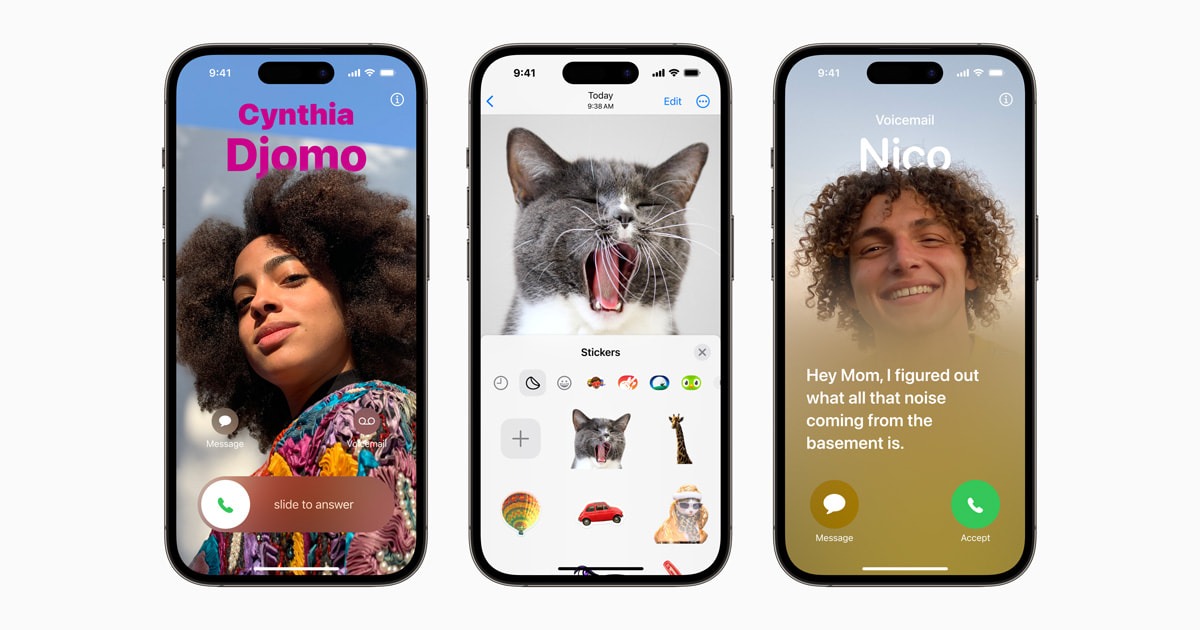
If you’ve just upgraded to the iPhone 17, you’ll notice several changes that go beyond hardware. Apple has paired the device with new iOS features designed to improve everyday interactions, simplify settings, and enhance how users customize their phones. Understanding these updates helps unlock the full value of the device.
Updated Design and System Experience
Refined Interface and Controls
- Apple has adjusted system animations for smoother transitions.
- Menus and controls feel more responsive, especially during multitasking.
- Touch responsiveness has been improved for quicker interactions.
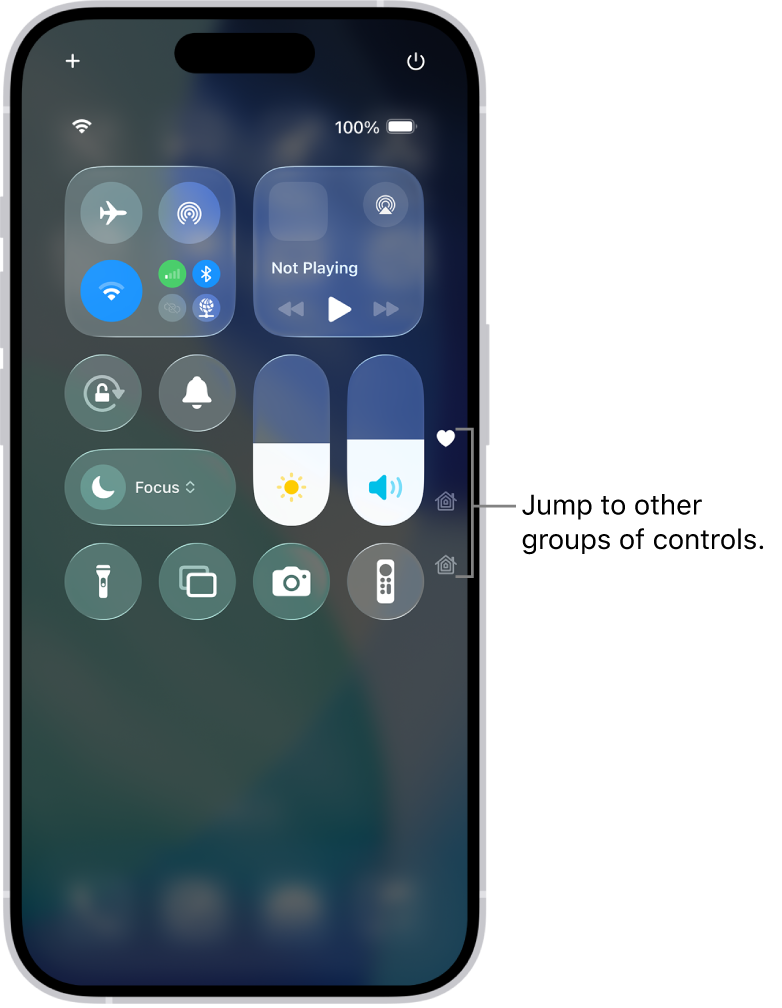
Customizable Control Center
- The Control Center now offers deeper customization.
- Users can add, remove, or rearrange controls more freely.
- Frequently used settings are easier to access with fewer swipes.
Smarter iOS Features
Enhanced Widgets and Home Screen
- Widgets support more real-time information.
- Home Screen layouts allow greater personalization.
- App icons and widgets adapt better to light and dark modes.
Improved Notifications and Focus
- Notifications are more intelligently grouped.
- Focus modes provide finer control over alerts and app access.
- Users can create custom Focus profiles for work, sleep, or travel.
Camera and Media Enhancements
Updated Camera Interface
- The camera app features a cleaner layout.
- Common shooting modes are easier to reach.
- On-screen guidance helps users capture better photos and videos.
Media Playback and Sharing
- Video playback is smoother with improved system optimization.
- Sharing photos and videos across apps is faster and more consistent.
Performance and Battery Optimizations
System Efficiency
- Background processes are better managed to reduce power usage.
- Apps launch faster due to improved memory handling.
Battery Management
- New battery health tools provide clearer usage insights.
- Charging optimization helps extend long-term battery lifespan.
Conclusion
The iPhone 17 builds on Apple’s focus on refinement rather than radical change. With smarter iOS features, improved customization, and performance enhancements, the device offers a more polished daily experience. Exploring these tools early ensures users get the most out of their new iPhone.


