
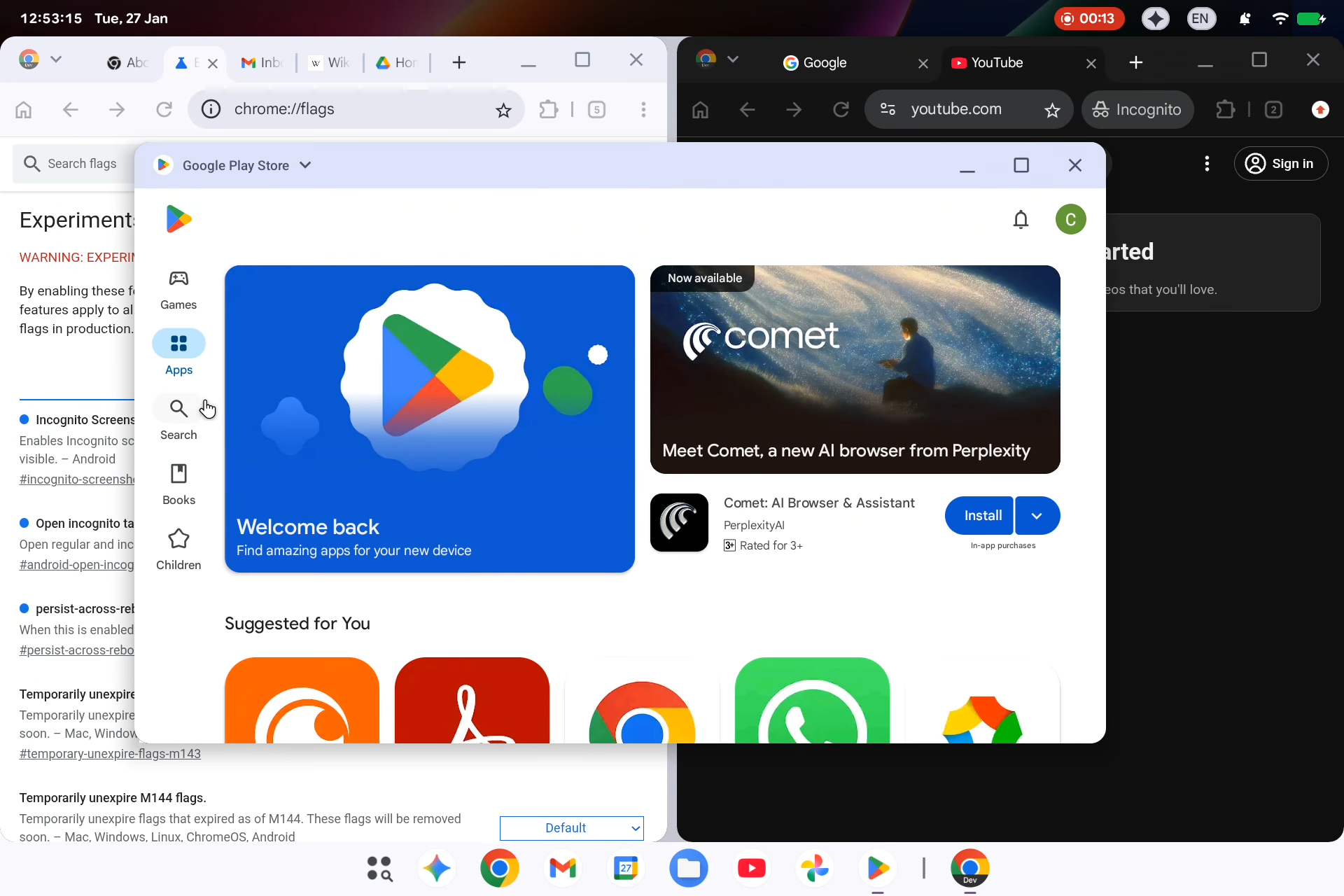
Google’s early look at Android’s upcoming desktop mode suggests a system that prioritises visual consistency over desktop-first usability. While positioned as a merger of Android and Chrome OS, the leaked interface points to an Android-centric design that could struggle to meet the needs of productivity-focused users.
A Desktop Reveal That Wasn’t Supposed to Happen
An accidental leak may have revealed more than Google intended about the future of its desktop ambitions. A now-private bug report surfaced briefly with screen recordings showing an early version of Android’s desktop interface, highlighting split-screen multitasking and Play Store–driven app updates. The footage, first spotted by 9to5Google and analysed by Android Authority, offers a glimpse into what Google internally refers to as “Aluminium OS.”
The timing matters. Google has signalled that it plans to merge Android and Chrome OS into a unified platform. But what the leak suggests is not a convergence of equals. Instead, it looks like Android extending upward into desktop form factors, rather than Chrome OS absorbing Android’s strengths.
Desktop Mode or Desktop Operating System?
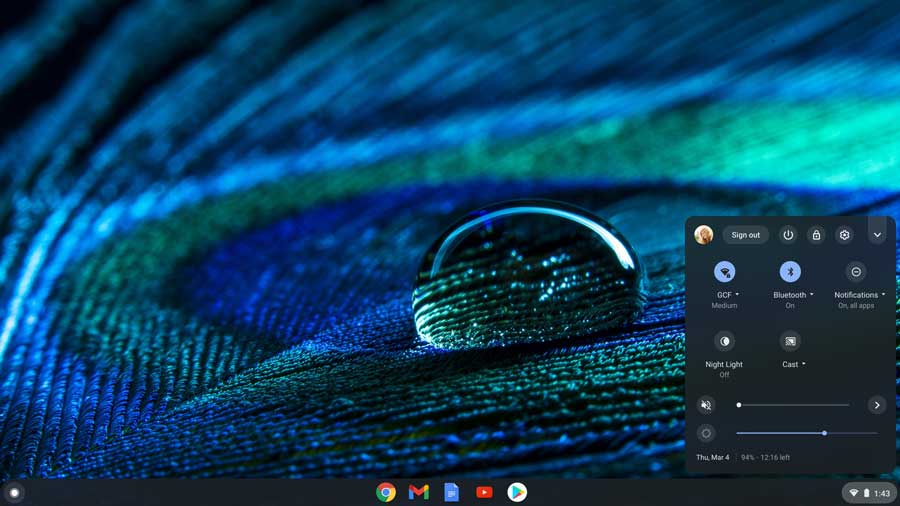
At first glance, the interface feels familiar. There is a bottom taskbar with pinned apps, recent applications, and an app drawer, much like Android on foldables and tablets. The concern begins when looking closer. Core system indicators such as time, battery, connectivity, and language are pushed into a persistent top bar, leaving the bottom bar focused almost entirely on apps.
This design mirrors Android’s phone-first logic, not desktop conventions. On Chrome OS, these elements are integrated into a single shelf, closer to what Windows users expect. The result, critics argue, is wasted vertical space and a UI that feels optimised for touch rather than for keyboards, mice, and large displays. For users who rely on dense information layouts and multitasking, that inefficiency adds up quickly.
Productivity Suffers From Familiarity

The leaked recordings show split-screen multitasking working as expected, but they also reinforce a deeper issue: Android’s window management still feels constrained compared to traditional desktop systems. The UI appears to prioritise simplicity and consistency over flexibility, which may suit casual users but risks frustrating professionals.
For long-time Chrome OS users, the shift could feel like a downgrade. Chrome OS has steadily matured into a capable productivity environment, particularly in education and enterprise, with strong keyboard shortcuts, efficient window snapping, and desktop-first ergonomics. Replacing or subsuming that with an Android-derived interface introduces a learning curve without clearly improving core workflows.
The irony is that what makes Android successful on phones—predictability, minimalism, and strict layout rules—can become a liability on desktops, where users expect customisation, density, and control.
Migration Pain Is Inevitable
Google’s design choice may also complicate migration. Users coming from Windows or Chrome OS will have to adapt to a system where core UI elements behave differently and occupy unfamiliar locations. Persistent top bars, especially on widescreen monitors, reduce usable space and can feel intrusive unless aggressively auto-hidden.
Even macOS users, accustomed to a top menu bar, may find the Android implementation awkward, as it lacks the depth and functionality that makes Apple’s approach efficient. Without strong desktop-native affordances, Android’s desktop mode risks feeling like a stretched mobile OS rather than a purpose-built environment.
Consistency vs. Capability
Google’s motivation is understandable. Unifying Android across phones, tablets, foldables, and desktops simplifies development and creates a consistent mental model for users. But consistency alone does not guarantee capability. The desktop is not just a bigger screen; it is a different mode of interaction, with different expectations around multitasking, file management, and system control.
The leaked interface suggests Google is betting that familiarity will outweigh these concerns. That may work for light productivity and consumption, but it leaves open the question of whether Android desktop mode can truly replace Chrome OS for serious work.
A Strategic Gamble Still in Motion
It is important to note that this is an early look, not a final product. Google has time to refine, iterate, and address usability gaps before a full rollout. Features like hideable bars, improved windowing, and deeper keyboard support could meaningfully change the experience.
Still, the leak reinforces a growing concern: Google’s desktop future appears to be Android-led, not desktop-led. For users who embraced Chrome OS precisely because it evolved beyond its browser-only origins, that direction may feel less like a merger and more like a retreat.
As Google moves closer to formalising its Android–Chrome OS strategy, the key question remains unresolved. Is the company building a true desktop operating system, or simply asking desktops to adapt to Android?


