Beyond Siri: Discover iOS 27's subtle yet powerful features, from new widgets to improved messaging and camera controls, that refine daily iPhone use.
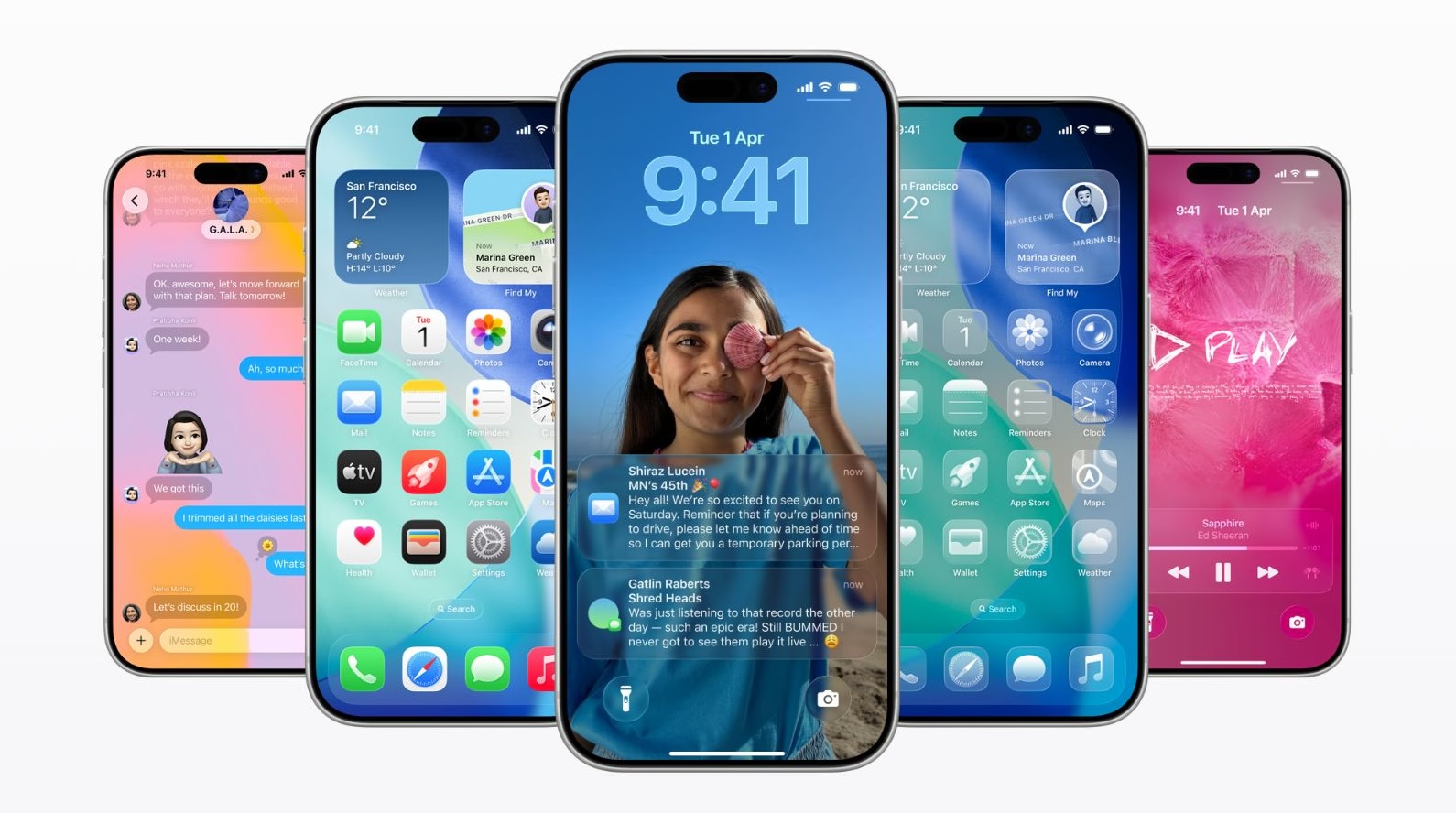
Apple's latest mobile operating system, iOS 27, introduces a suite of subtle yet impactful enhancements that, despite not being center stage at the recent Worldwide Developers Conference 2026, are poised to significantly refine the daily user experience. These under-the-hood improvements, focused on deeper customization and workflow efficiency, could incrementally strengthen user loyalty and engagement within the Apple ecosystem, thereby reinforcing long-term service revenue streams and device retention. Among the notable additions, iOS 27 now supports full-screen widgets directly on the home screen, transforming the iPhone interface into a more dynamic and information-rich canvas. This allows users to access news feeds, calendar events, or critical application data at a glance, reducing the need to open individual applications and streamlining information consumption. Complementing this personalized control, the operating system introduces independent volume controls for alarms, timers, alerts, and system sounds, addressing a long-standing user request for granular audio management. This level of customization, accessed via the Sounds & Haptics settings, underscores Apple's commitment to user-centric refinement, moving beyond a one-size-fits-all approach to device acoustics. Productivity also sees a meaningful boost with enhanced copy and paste functionality. When text or images are held in the clipboard, a prominent paste option now appears directly on the keyboard, mirroring the intuitive experience of entering one-time passcodes from Messages. This seemingly minor tweak significantly reduces friction in cross-app workflows, particularly for professionals who frequently transfer information. The Weather application also receives a visual and functional overhaul, featuring a new highlights section for upcoming notable events and improved navigation between conditions, precipitation, and wind views. This redesign transforms the app from a simple forecast tool into a more insightful environmental companion, offering predictive utility and clearer data visualization. Further enhancing communication and creative expression, the Messages app gains new customization options for its interface, allowing users to choose between a voice recording button, a dictation button, or to hide both entirely, adapting to individual communication preferences. Moreover, a new Drawing option enables users to sketch notes or diagrams directly within conversations, providing a more expressive and visual means of interaction. The Camera application also benefits from an overhauled control interface, granting easier access to depth, grid, and level options. This democratizes more advanced photographic controls, making sophisticated image composition tools readily available to the average user and thereby enhancing the quality of user-generated content directly from the device.
What It Means
These unannounced features collectively represent a strategic investment in the foundational user experience, moving beyond headline-grabbing AI integrations to address the persistent, everyday frustrations and desires of iPhone users. While they may lack the immediate spectacle of a new Siri iteration, their ubiquity across the user base ensures a broad impact, refining the interaction loops that define smartphone usage. My read is that these iterative improvements are crucial for Apple to maintain its premium market position, especially as hardware innovation matures and the focus shifts towards a seamlessly integrated and highly personalized software environment. They are not merely conveniences but essential elements that contribute to the perceived value and "stickiness" of the iOS platform. This meticulous attention to detail solidifies iOS's reputation for intuitive design and robust functionality, differentiating it from competitors that often prioritize novel but less refined features. Such refinements are vital for driving long-term user retention and justifying the premium pricing of Apple's hardware, reinforcing its status as a luxury technology brand. It represents an ongoing investment in the existing user base, ensuring that the daily interaction with an iPhone remains as fluid and enjoyable as possible, which in turn supports the broader ecosystem.
The Context
Apple has historically employed a strategy of layered innovation, introducing transformative capabilities while simultaneously refining existing features over successive software cycles. These iOS 27 updates fit squarely within this pattern, demonstrating a commitment to enhancing the "ambient computing" experience where the operating system intelligently adapts to user needs without explicit commands. This approach contrasts with more radical, sometimes disruptive, updates seen from other platforms, aligning instead with Apple's emphasis on stability, security, and a privacy-centric user experience. Many of these enhancements, particularly those concerning local device utility and customization, leverage the advanced capabilities of Apple's custom A-series silicon, enabling sophisticated background processes with efficiency. The introduction of these micro-improvements reflects a broader industry trend where the battleground for mobile platforms has shifted from raw processing power to intelligent integration, personalization, and seamless user experience. As hardware differentiation becomes increasingly challenging, the software layer – and specifically, the daily usability – becomes the primary differentiator. These features are a direct response to a market that demands more from its devices than just raw computation, expecting instead an adaptive and intuitive personal assistant. This also ties into the larger trend of "platformization," where the OS itself evolves into a highly customizable canvas, allowing users to tailor their digital environment to their precise needs and preferences, further entrenching them within Apple's walled garden.
There is a critical lesson here for product-led growth founders: micro-delights often drive retention more than macro-features. While marketing teams chase headline-grabbing AI integrations, the engineering teams shipping granular fixes—like the intuitive keyboard paste option or independent volume sliders—are the ones actually reducing daily churn. In mobile product development, friction is cumulative. Apple’s focus on streamlining cross-app workflows in iOS 27 reminds us that solving a user’s persistent, low-grade annoyance is often more valuable than introducing an entirely new, unproven feature set.
As iOS 27 moves through its beta phases towards general availability, developers will be closely observing the uptake and usage patterns of these new system-level capabilities. The ease with which third-party applications can integrate or benefit from enhanced widgets, streamlined clipboard access, or advanced camera controls will be a key indicator of their long-term impact. Investors and market watchers will need to monitor user sentiment and satisfaction metrics closely, as these nuanced software improvements are crucial for maintaining Apple's leadership in an intensely competitive smartphone landscape, ultimately influencing future device upgrade cycles and the sustained growth of the company's lucrative services portfolio.
Frequently asked questions
What are the new hidden features in iOS 27?
iOS 27 introduces several subtle yet impactful features not highlighted at WWDC 2026. These include full-screen home screen widgets, independent volume controls for alerts, enhanced copy/paste functionality via the keyboard, and significant updates to the Weather and Messages apps, alongside camera control improvements.
Can I customize the Messages app in iOS 27?
Yes, iOS 27 allows users to customize the Messages app to show either a voice recording or dictation button, or hide them completely. It also adds a new Drawing option for sketching notes.
Are there new widget options in iOS 27?
Yes, iOS 27 now supports full-screen widgets on the home screen, providing easier access to information like news headlines or calendar events at a glance.
How do I set separate volume levels on my iPhone with iOS 27?
In iOS 27, navigate to Settings > Sounds & Haptics, turn off the “Match Ringtone Volume” toggle, and then manually adjust the sliders for alarms, timers, alerts, and system sounds.
What's new with the Camera app controls in iOS 27?
The Camera app in iOS 27 features an overhauled control interface, offering easy access to depth, grid, and level options directly within the camera view.
Did the Weather app get an update in iOS 27?
Yes, the Weather app in iOS 27 received a design update, including a new highlights section for notable upcoming events and easier switching between Conditions, Precipitation, and Wind views.